
October 29, 2026
Automating product drops gave me time to redesign them
I replaced a weekly video-production routine, then used the time it freed up to build more varied motion templates without adding another editing step to each drop.
Updated: October 29, 2026
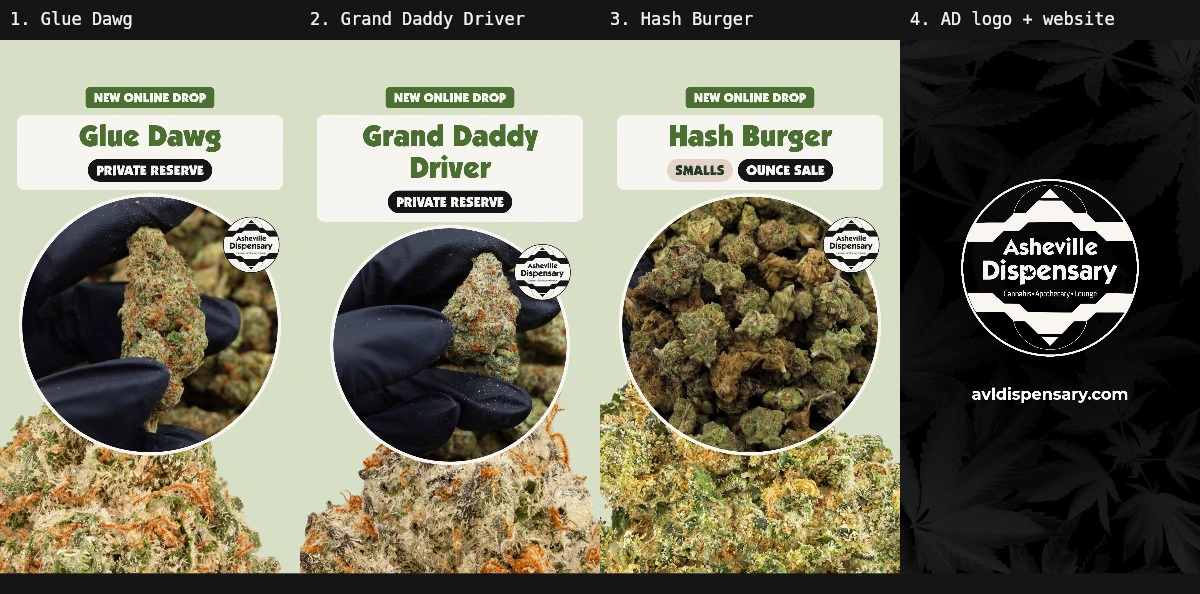
The CEO liked the new flower stories. My reply was simple: I’d use this style for the next drop.
That was a good place to end a design review. It was also a useful test of the automation I’d already built. I could make the stories more animated, give them more variation and spend time on their composition without signing myself up to edit every future video by hand.
The review sequence contains three product stories and a separate logo/website end card, seven seconds each. The products and offer text are historical examples used to review the templates.
The new renderer still needs to be connected to the live workflow. The direction has a positive response and a next use; the cutover is ahead. But the important design constraint is already there: improving the template should change what the next run produces, without adding another manual production step to that run.
The routine before the routine
I lead design for Asheville Dispensary and its related brands. Flower drops were one of those small, recurring jobs that filled more of the week than their size suggested.
An announcement arrived with the strains, tiers and sale wording. I found the product pages and gathered their photos and videos. In Figma, I duplicated the story card and replaced its content. Then I moved through conversion commands, Premiere and Media Encoder to put footage behind the card, mask it into a circle and export the finished story.
After that came the handoff: attach the files to Asana, post them for approval in Slack, and make sure the complete batch was there.
It took seven tools and roughly three to five hours a week. That was my working estimate for the manual routine, rather than a controlled time study. The annoying part was how much of it repeated a decision I’d already made. The layout was approved. The crop was known. The output dimensions were known. I was carrying those decisions between applications.

First, reproduce the approved result
My first goal was to get the existing work out reliably.
When I looked closely at an old export, it was a 4.73-second composition with no animated artwork. A card sat over product footage. There was no reason to open a video editor to reproduce that arrangement.
I measured the mask and output settings, then used FFmpeg to compose the video. That also caught something easy to miss in the old files: exports intended to be silent could still contain an audio track. The generated version could enforce silence explicitly.
The wider routine read the announcement, found product media, filled the approved design, rendered the files and prepared the review handoff. Over time, more of the intermediate work moved into code too.
It needed more than a rendering command. Search once returned a lookalike strain, and a stale sitemap pointed at an old page. I added direct URL checks, title matching and a record of why a page had been selected. Later, a disagreement between the announced tier and a website category led to the wrong tier being used. That became a clearer boundary: the announcement owns the offer and tier; the website supplies the media.
I also separated preparing files from notifying people. Files could attach quietly while a batch was being completed. The review message waited for the whole batch and the right hours.
Those corrections mattered to the design work that followed. I needed a dependable production loop before I could spend the recovered time exploring what it should produce next.
The time went back into the design
Once I wasn’t assembling every story manually, I could work on the template itself.
The original automation had reproduced the old result. Now I wanted more variation: a clearer entrance, a little more space for the product, and a sequence that felt composed from beginning to end.
I started with motion studies in Storybook. Gentle rise, staggered slide and stamp pop let me compare how the name and sale treatment arrived. A Study Lab exposed the timing and travel values, so I could change one thing, replay it and inspect an exact frame.
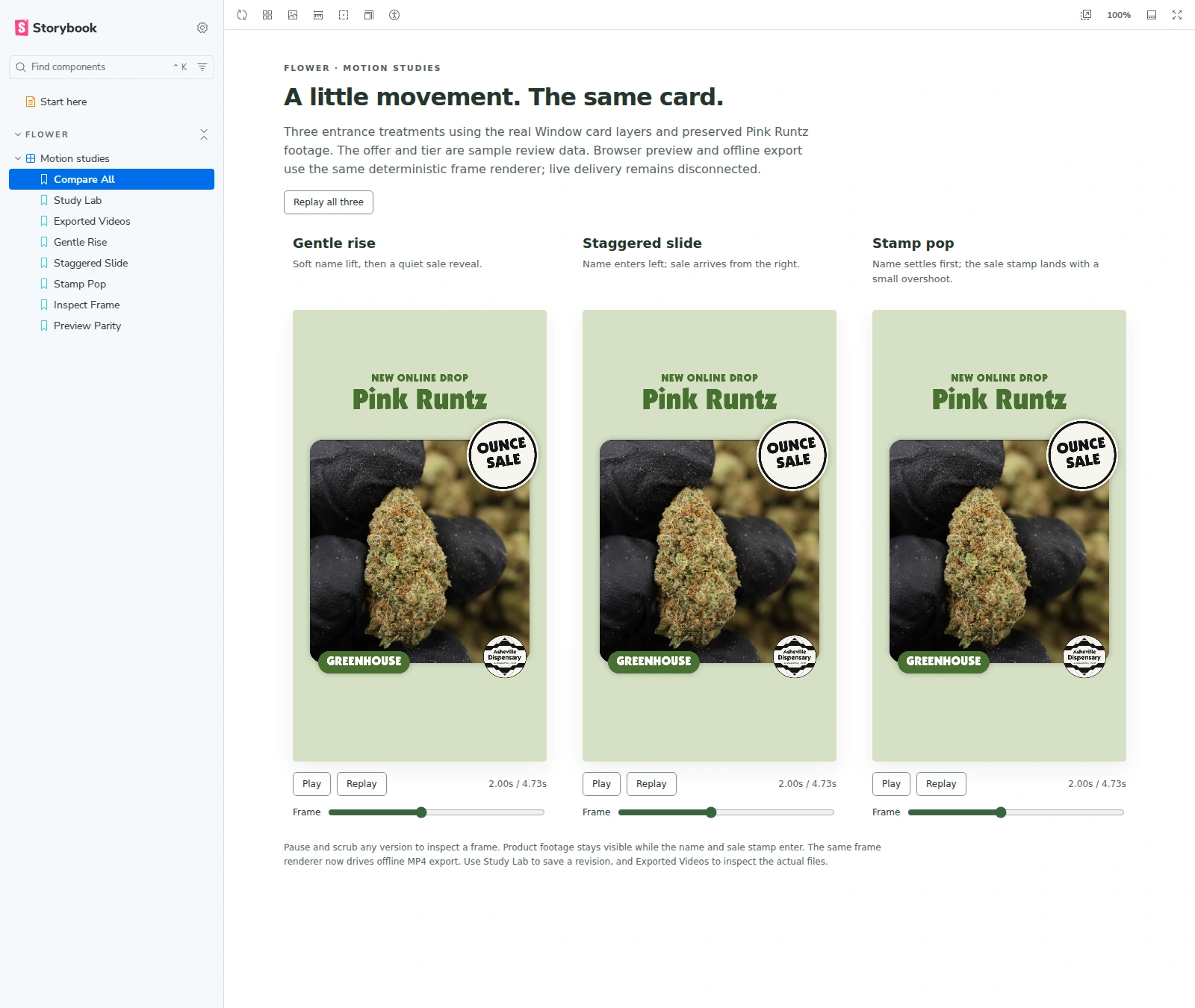
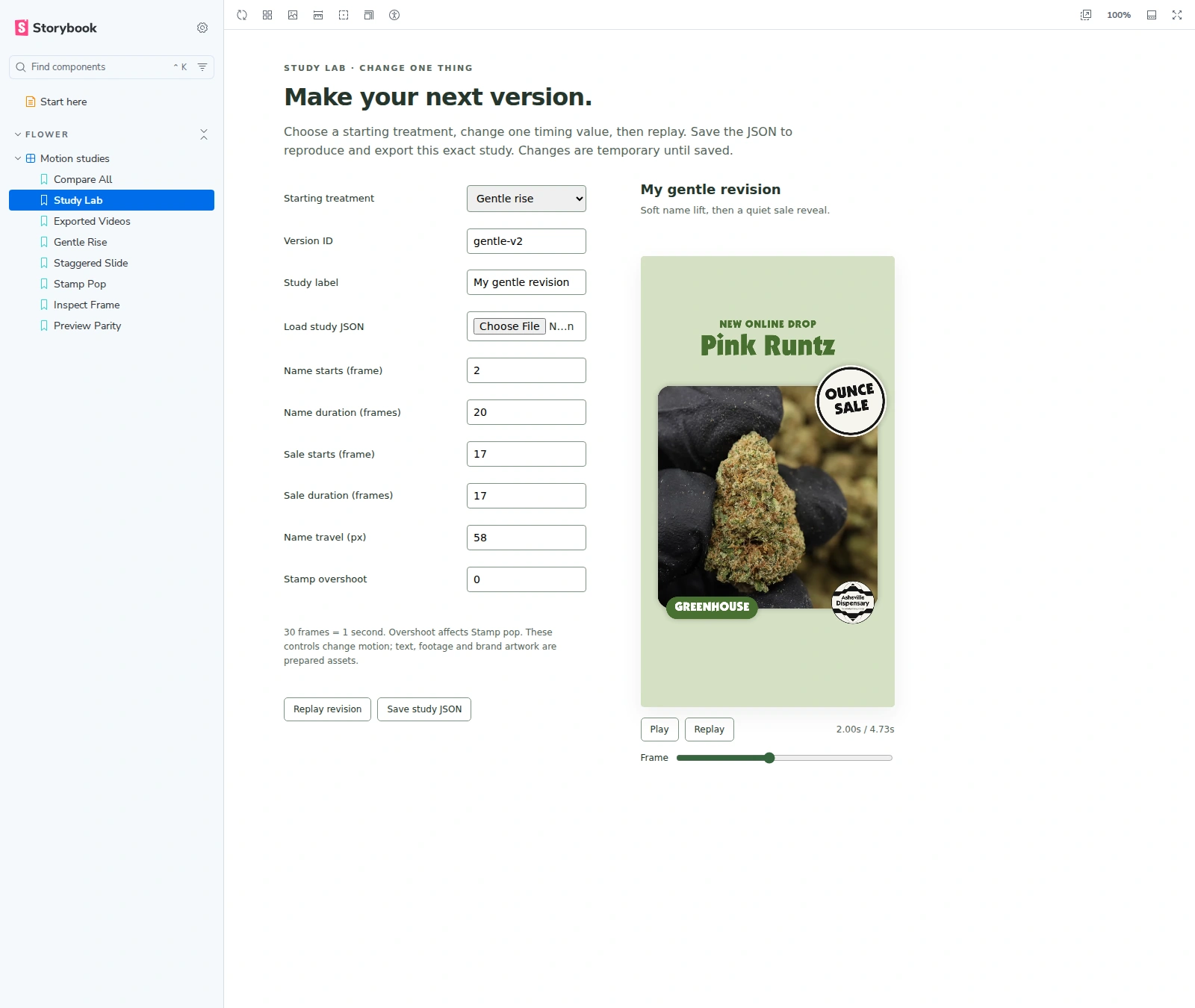
There was a practical reason to make those controls explicit. A description like “a little slower” is useful in conversation, but it doesn’t preserve a revision. A saved study records when the name starts, how long it moves, when the sale stamp appears and how far things travel.
The Storybook studies use the same frame-drawing function for the browser preview and their offline export. Their export reports include sampled frames, so the actual video can be checked against the preview.
That was the exploration environment. The later Familiar sequence was a separate composition and renderer, so I checked its encoded files and transitions directly too. I wasn’t treating a good-looking Storybook canvas as proof that every deliverable worked.
Keep the familiar build, give it room
Of the layouts I reviewed, Familiar was my favorite. I wanted to keep the recognizable card, circular footage and product identity, then give them more room to move.
The background flower cutouts got larger and entered and exited with each slide. Their positions and rotations varied across the batch. I zoomed the footage a little more for the two Private Reserve strains while leaving the Smalls treatment wider, where the group of smaller buds was part of the image.
Then I carried the motion through every element: the heading, name panel, pills, video window, seal and background cutout. Giving each element an exit mattered as much as its entrance. The next story needed a clean place to begin.
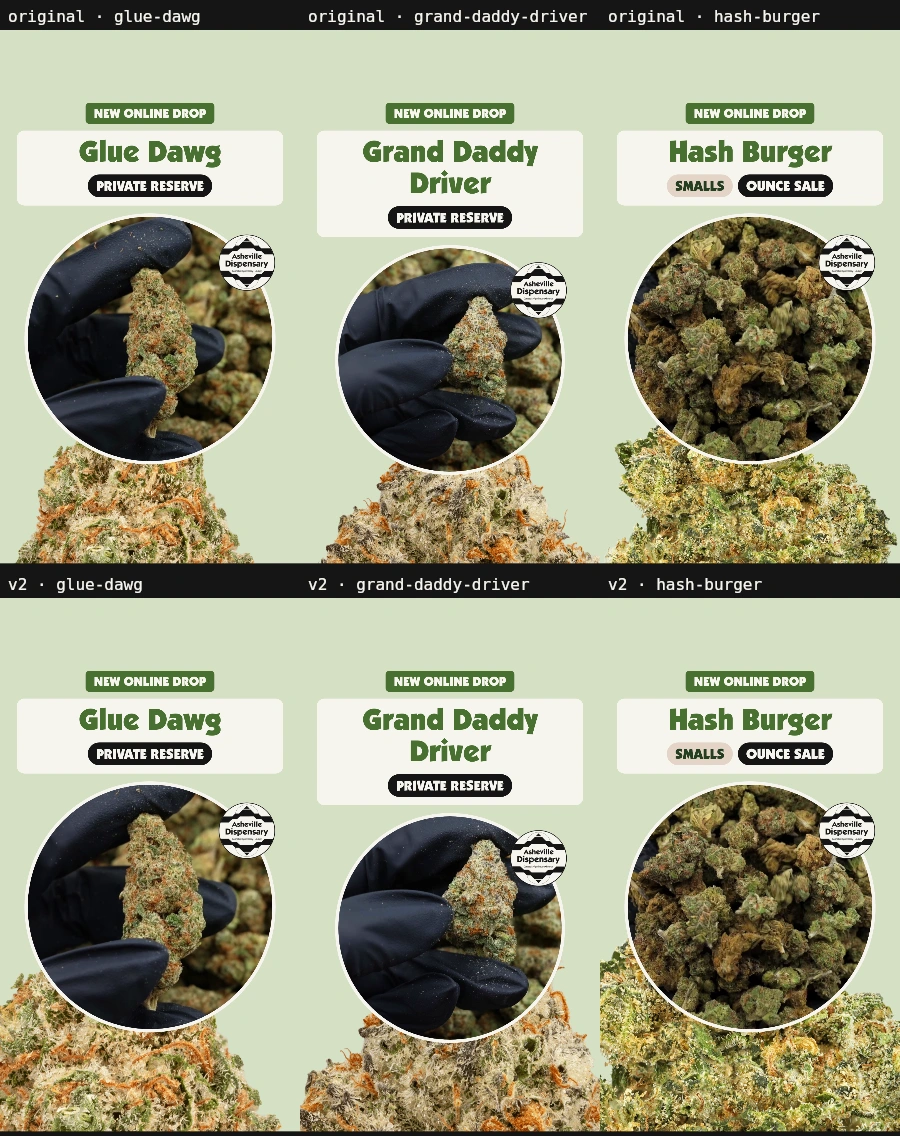
The last layout adjustment was to raise the heading and pills, move the video up and make it slightly larger. That exposed more of the background flower at the bottom. It was a small change to the composition, but the product felt less boxed in.
The end card needed to belong
I wanted the logo and website to have their own story at the end.
The first direction became a black card with light type. For the detail behind it, I went back to the brand audit and existing assets. The leaf artwork gave it a connection to the rest of the brand without adding a new decorative language just for this video.
That took a few revisions. A visible square in the leaf treatment interrupted the background, so I changed the crop and mask. Then the leaves became too subtle in the encoded version. I brought them back until they were visible in the actual file.
The final product story fades to black before the end card arrives. I checked the joins in the exported sequence, along with playback at desktop and phone sizes. A transition only counts if it survives the export people will watch.
A production decision I can reuse
I sent one combined preview to the team, with the individual files in an Asana task. That made it possible to watch the pacing and review the pieces that would actually be delivered.
Jimmy, the CEO, replied that he liked them a lot. I confirmed I’d use the style for the next flower drop.
The first automation had already replaced the manual assembly routine. This redesign is an investment on top of that: time spent improving a reusable result. Once the new renderer is connected, the same website media should feed the animated templates, and the same review process should receive the outputs.
There will still be review, exceptions and occasional template changes. Rendering also takes compute time. I haven’t timed a live batch with this version yet. The aim is to avoid an additional editing pass for each drop, rather than claim the work has no ongoing cost.
The earlier routine’s cost history made that distinction useful. An idle day once cost $12.10 because scheduled checks opened full agent sessions. Moving the initial check into a script reduced the historical estimate to about $0.30 a day under the revised schedule. Those are measurements from that version, not a price promise for the new workflow.
The wider Asheville Dispensary case study is about the brand system behind the work: shared foundations, distinct identities and materials that need to hold together across print and digital.
This is one application of that system. Automating the old routine gave me room to redesign the stories. Keeping the redesign in a reusable renderer gives that work a way to reach the next batch.