




My product · Since July 2026 · Product Designer / AI Systems
Daybreak
A day planner that never makes you feel behind. I rebuilt my Mac and iPhone app from the ground up, with a new look, a planner that proposes instead of nags, and AI that can only suggest.
- The problem
- My planner made me commit the day, and let unfinished work pile up as guilt.
- The decision
- Nothing is late, it just needs a place. The planner and the AI only propose.
- What changed
- Rebuilt from the ground up and in daily use on Mac and iPhone since October 15. I haven’t tested it with other people yet.
My role. Product designer and only user. I made every product call, one question at a time. Coding agents did most of the building from those decisions.
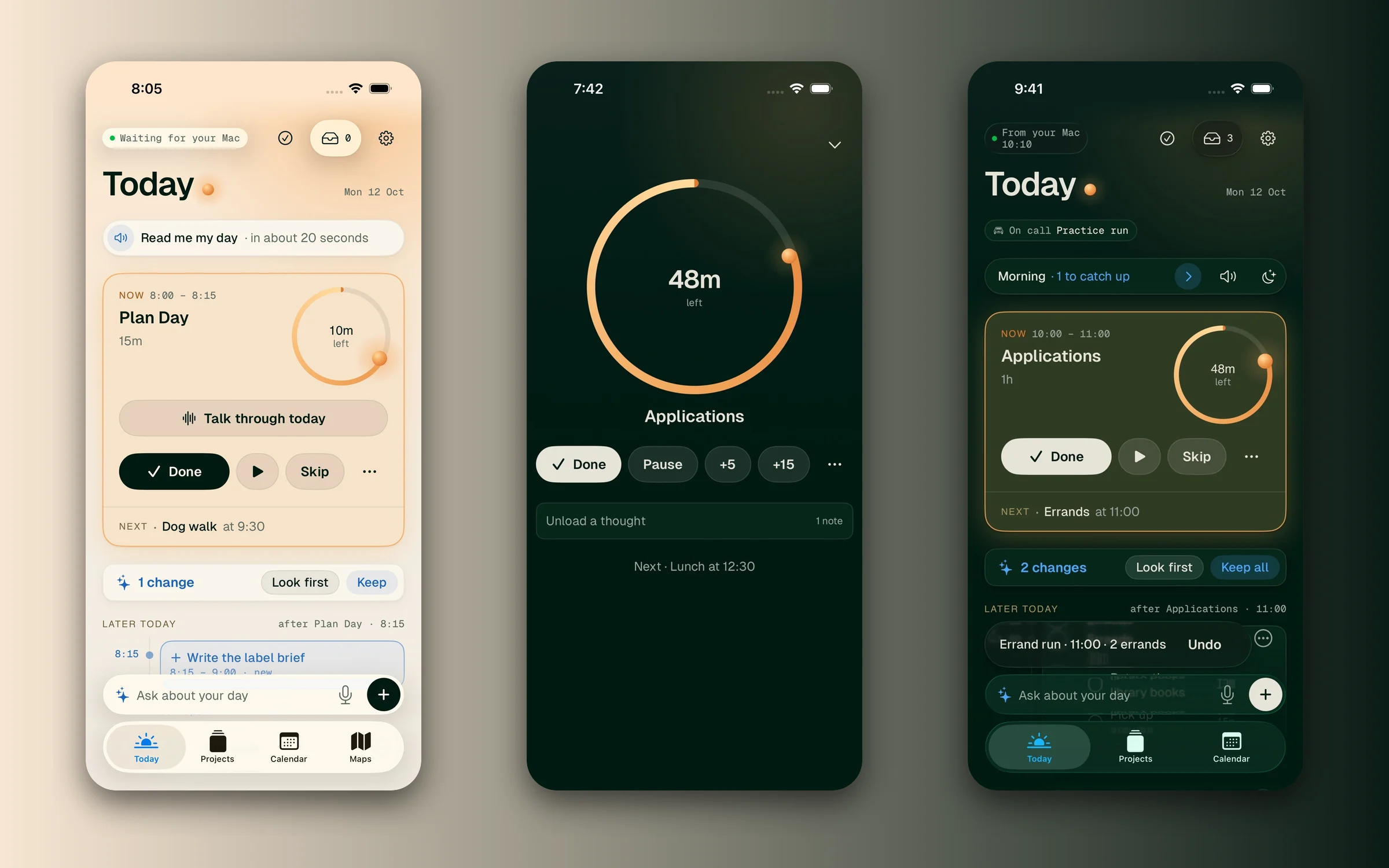
Context
The first Daybreak did its job, and then it started asking for upkeep. I had to commit the day in a morning ritual before the app was any use. Nothing happened unless the Mac app was open. Unfinished work rolled into tomorrow and sat there. One block was deferred six mornings in a row.
So I rebuilt it. Same goal, a calm plan for the day, but with new foundations: a planner that proposes and never nags, AI that can only suggest, and a look that holds up next to Apple’s own apps.
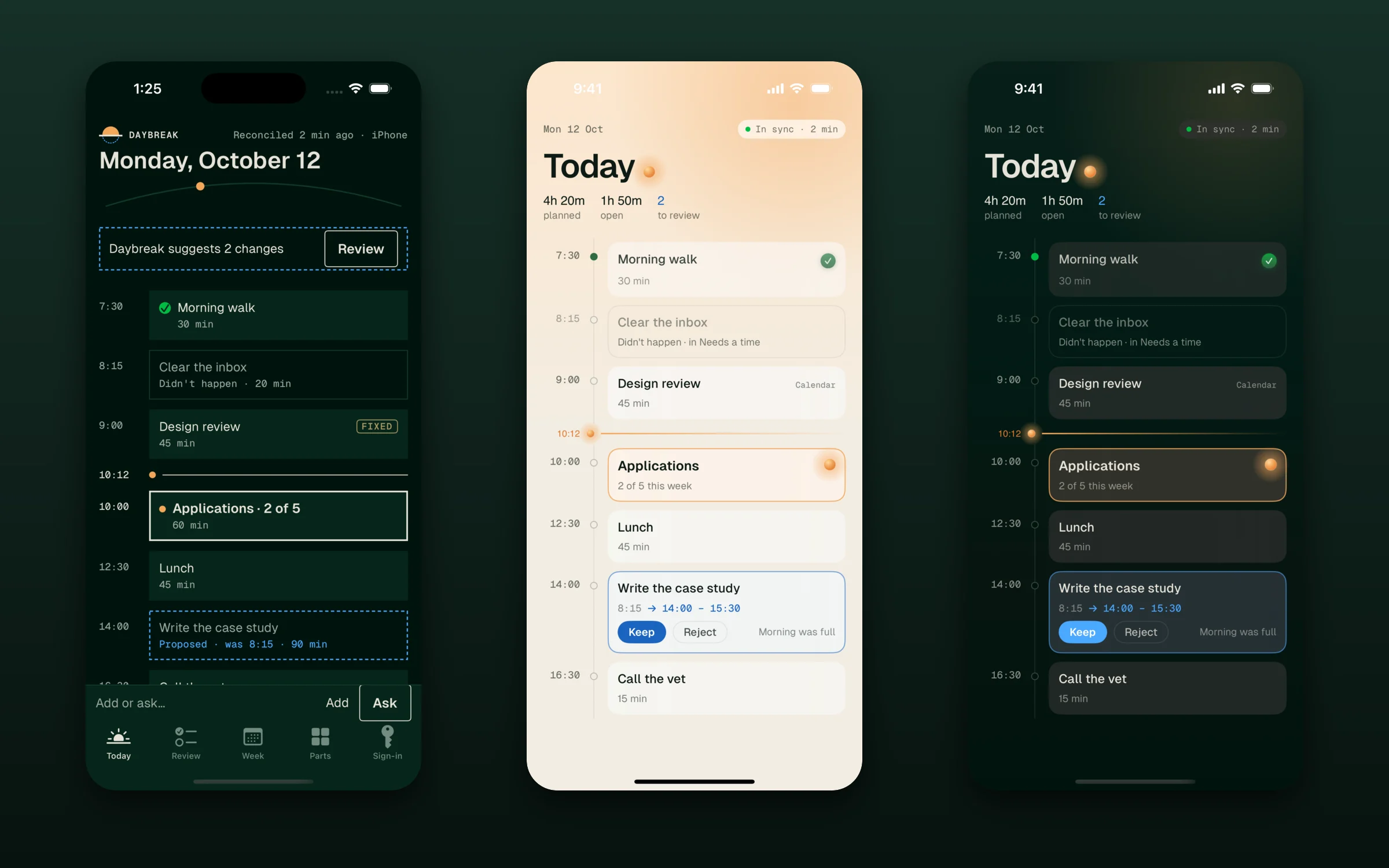
A look that follows the sun
Daybreak is paper by day and blueprint ink by night, and it switches at the real sunset. The sun on Today is the clock, not decoration.
The first pass matched the design system and still looked wrong. The tokens and contrast checks all passed, but the dashed lines made it read like a wireframe. Round two kept what each state means (now, proposed, done) and changed how it’s drawn: light, glass and finish instead of dashes. Code is the source of truth. Figma is generated from the same tokens, and the tests fail if the two drift apart.
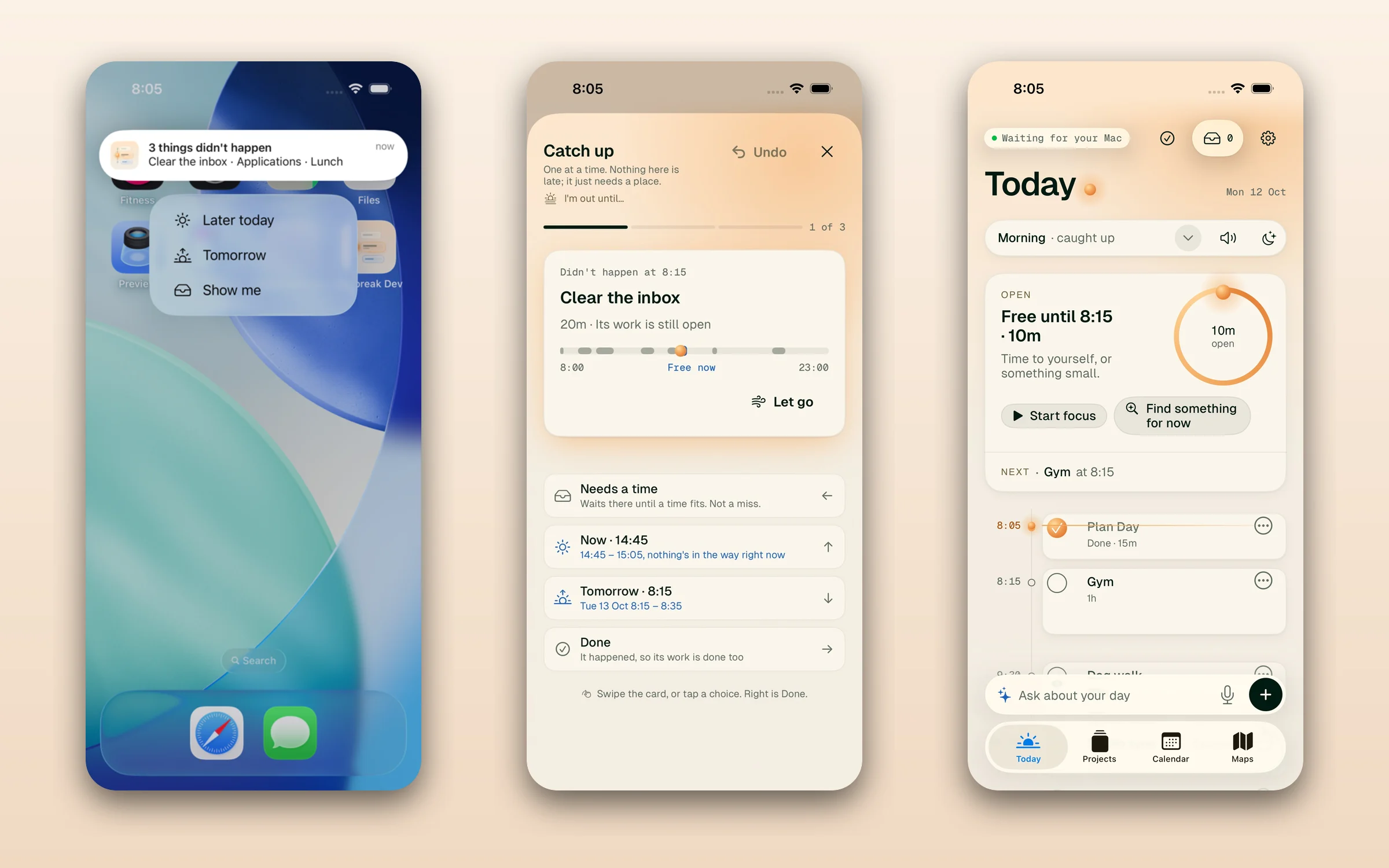
Nothing is late
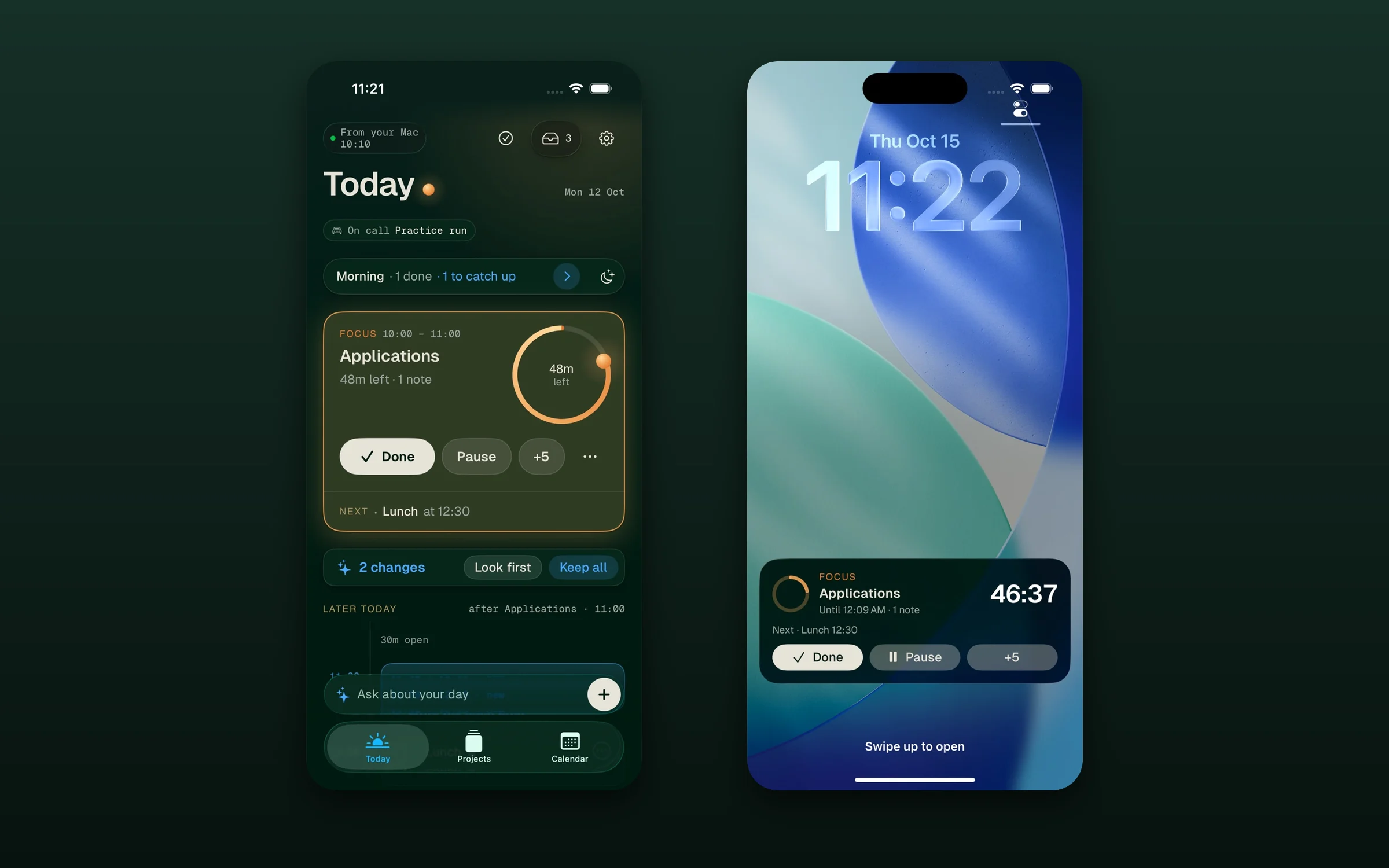
There’s no ritual to unlock the day. Missed blocks wait in Catch up, one card at a time, each with choices worked out for you: later today, tomorrow, needs a time, done, or let go. On the iPhone, a check-in offers the same choices from the notification. The card’s own words: nothing here is late, it just needs a place.
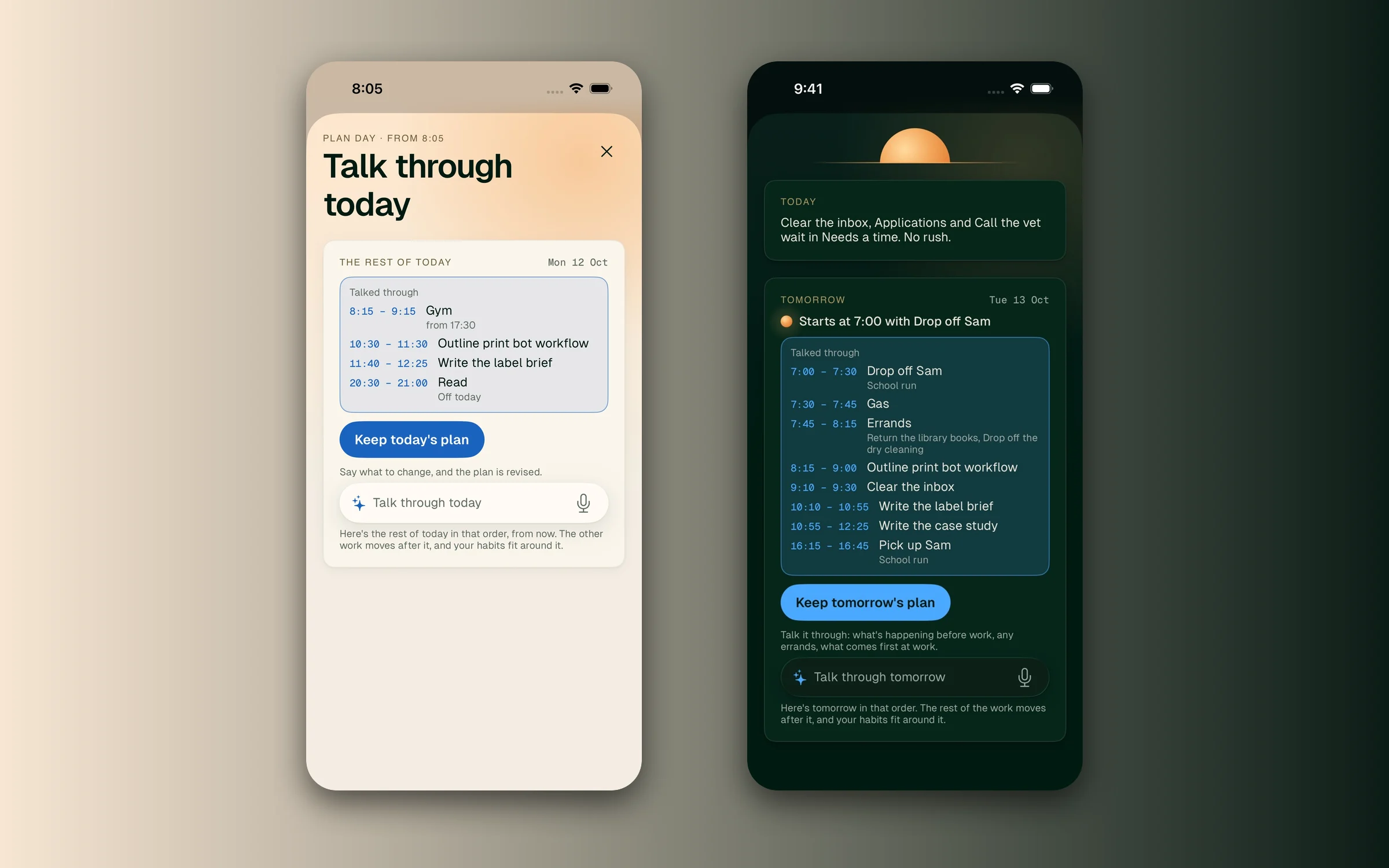
AI that only proposes
The old agent got the whole app state, about 85k tokens, on every request. Now Ask and Talk through get a few hundred tokens of plan lines that code writes, and the model can only call propose tools. You say what’s actually happening (“drop off first, then errands before work”) and the plan comes back as a draft.
- Say it
Type or speak to Ask, or talk through today or tomorrow.
- Propose
The model can only propose moves, adds and habits. It never writes to the plan.
- Check
Code rejects anything that lands on a meeting, a protected routine or another block.
- Keep
Changes show on the plan in blue. Keep, reject, or look first, and Undo always works.
Focus, everywhere
Start a block and it becomes a session. The ring counts down on the Now card and the lock screen, and a small panel floats over everything on the Mac and can hide itself from screen sharing. Going over time isn’t a failure. It says “still going”.
Errands that plan their own route
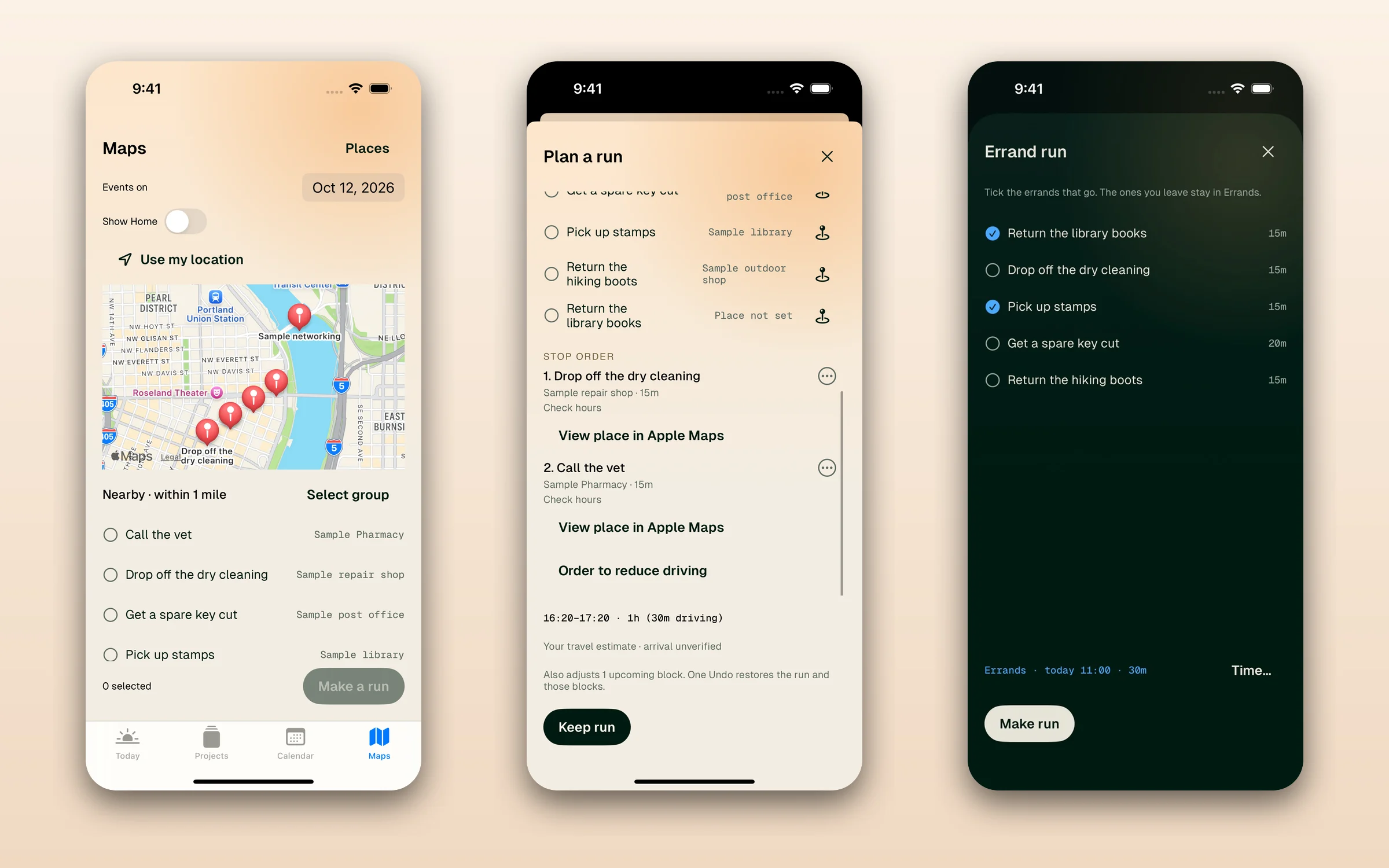
Errands go into a bank. Pick a few and Daybreak makes a run: stops in order, a driving estimate from Apple Maps, and one block on the day. The estimate is marked “unverified”, and one Undo takes the whole run back.
Outcome and limits
I switched to the new Daybreak on October 15. It imported my old plans, all 70 days of them, and a second run created nothing. It runs on my Mac and iPhone with private iCloud sync, and other agents can change the plan only through a bridge where each change has an Undo and deletions wait for me.
Every feature started as a question I answered, and there have been more than a hundred so far. Each one was checked against sample data on both devices before it shipped. It’s still a one-person product. Next is testing the planner with other people before I treat my own days as the rule.